Staying in charge
Floorwalker only takes on the work you hand over
You choose a mode for each check. Prices, money and stock purchases are locked to your approval, and a meter shows what it has spent today. It only acts inside the rules and caps you set.
You choose a mode for each check
For each of the 50 things Floorwalker watches, you pick one of four modes so nothing moves faster than you want. Change any check's mode whenever it suits you.
- Tell me
Floorwalker spots the change and puts it in your ranked list, leaving every action to you.
- Draft
Floorwalker prepares the reply, quote follow-up or order and waits for you to approve it with a tap.
- Do it
Floorwalker completes routine tasks under your rules and logs them, except prices, campaigns, refunds and purchases.
- Off
Floorwalker ignores that check completely until you switch it on.
Prices, campaigns, refunds and purchases always come to you
Price changes, campaigns, refunds and stock purchases always wait for your tap, whatever mode a check is in. It also tells you when your shop doesn't have the traffic to prove an A/B test, e.g. one tool's guideline is 10,000 visitors per variant over 14 days.
Standing rules stay inside daily caps and one off-switch
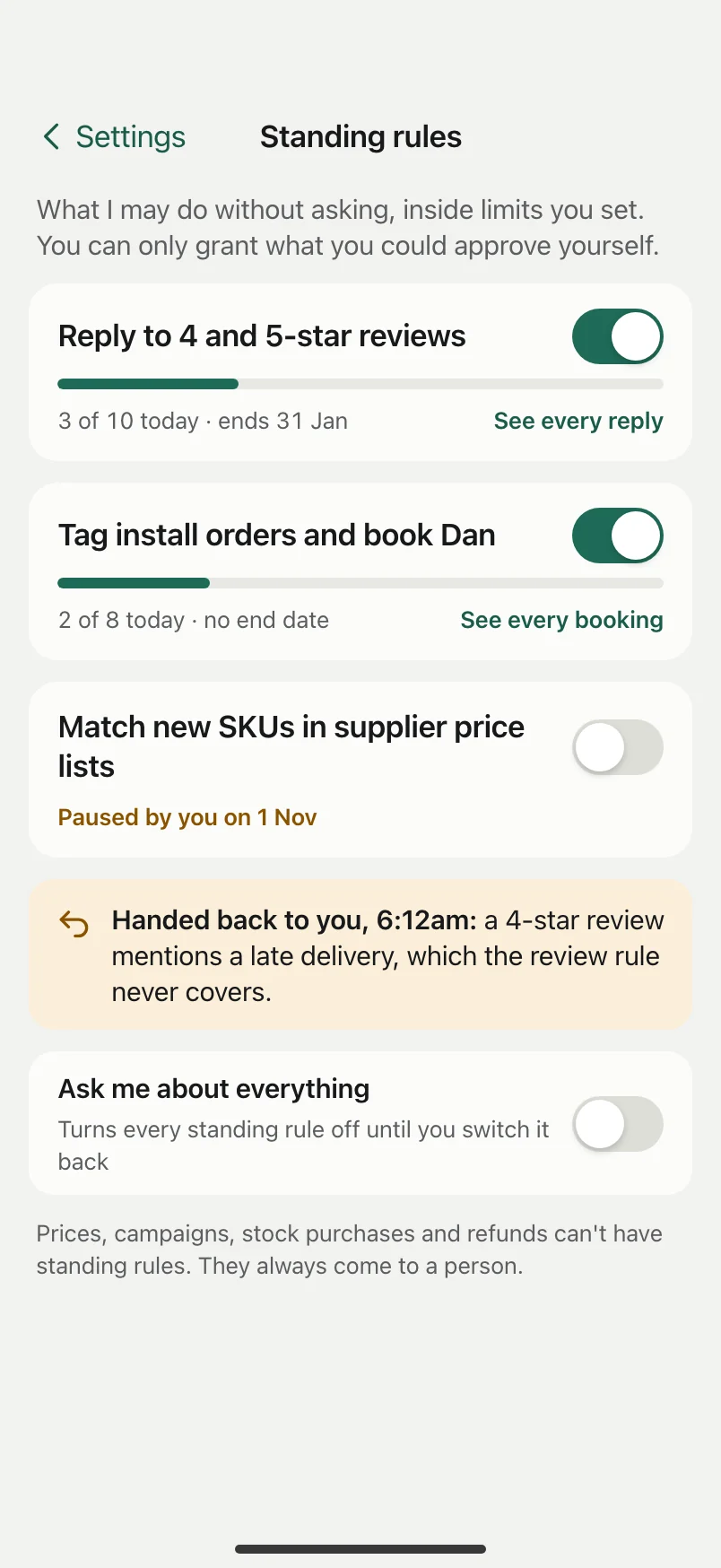
After you approve the same kind of task 3 times unchanged, Floorwalker offers a standing rule, e.g. 'Reply to 4 and 5-star reviews'. It never assumes one. Every rule has a daily cap such as 10 a day, an end date, and a done log with undo where an action can be undone. 'Ask me about everything' switches every rule off.
Supplier emails and PDFs can't sneak instructions past you
Incoming supplier emails, spreadsheets and PDFs are read strictly as product and order information, never as instructions. If a document carries hidden instructions trying to make Floorwalker act, they're ignored and shown straight to you.
Outbound checks strip private customer details before notes leave
Before a note goes to a supplier or outside contact, an outbound check removes private customer details, e.g. taking a customer's home address out of a supplier stock note. Helpers such as your bookkeeper, installer or web freelancer also see only their own part.
Portal passwords stay masked and you can take over anytime
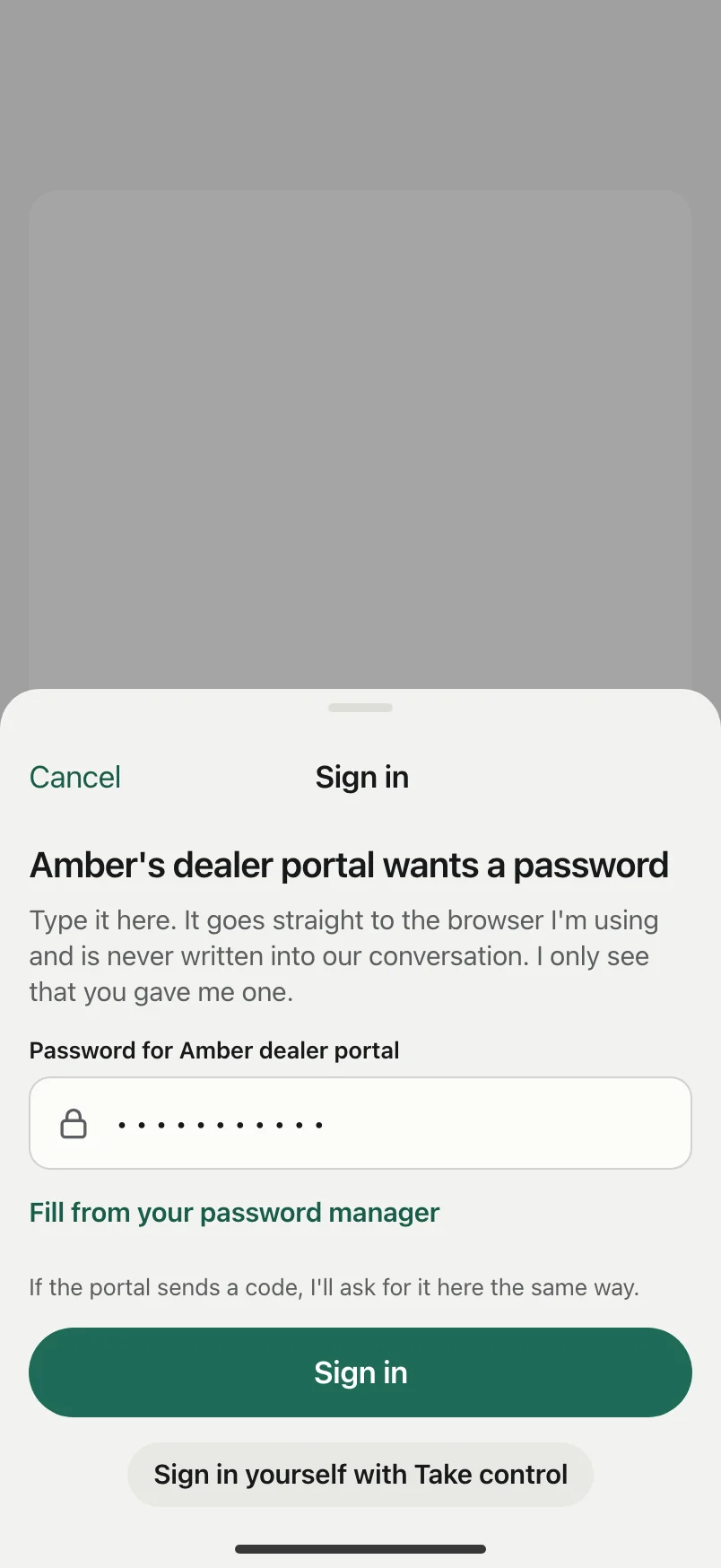
Floorwalker checks supplier portals in its own browser. When a portal needs a password, you type it into a masked box and it goes straight to that portal. You can stop the browser or take control yourself at any point.
A daily meter keeps your running spend in plain sight
You set a daily cap, and a usage meter in the app shows what Floorwalker has spent today against your limit so costs stay predictable.
Pricing checks follow Australian ACCC rules on RRPs and discounts
Under ACCC rules, minimum resale prices are generally illegal, so Floorwalker treats a supplier's RRP as advice rather than a floor. Before you advertise a 'was' price, Floorwalker checks that the item has a real pricing history behind it.
Running a shop shouldn't tie you to a desk
Floorwalker watches your shops, suppliers and calls, and has the routine work drafted on your phone before it ever needs a laptop.